If you're looking for the best app for Hyrox, two names come up again and again: ZON and Hevy. They aren't the same app under two brands. They're two answers to two different questions. Hevy answers "what's the best way to log lifting?" ZON answers "what's the best way to log a session that mixes running, lifting, and stations in one timeline?" For a Hyrox athlete, that difference decides everything. This guide is the direct zon vs hevy head-to-head, feature by feature, without the three other apps from the wider roundup.
We'll keep it honest up front. Disclosure: we build ZON. We've done our best to be fair to Hevy, which is an app we genuinely respect. Where Hevy wins, we say so plainly, with the numbers. If you want the wider context with five apps scored (Hybrid Coach, Strong, Fitbod included), the sibling roundup best Hyrox workout app 2026 covers the whole field. Here we zoom in on the one choice most athletes actually face: ZON or Hevy.
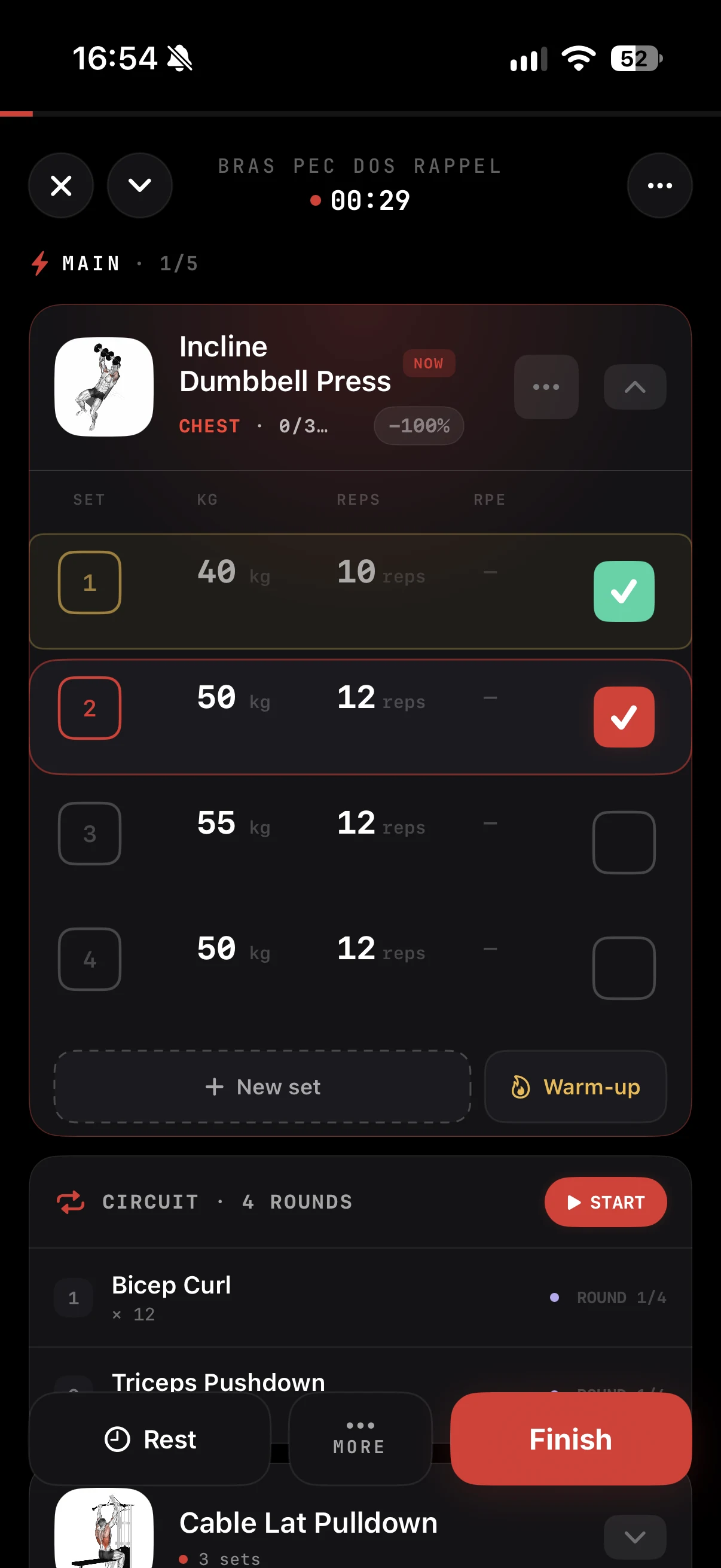
- Hevy is the best pure-lifting tracker: 2000+ exercise library, best-in-class set-by-set logging, generous free tier, reliable CSV export. If you only lift, Hevy is hard to beat.
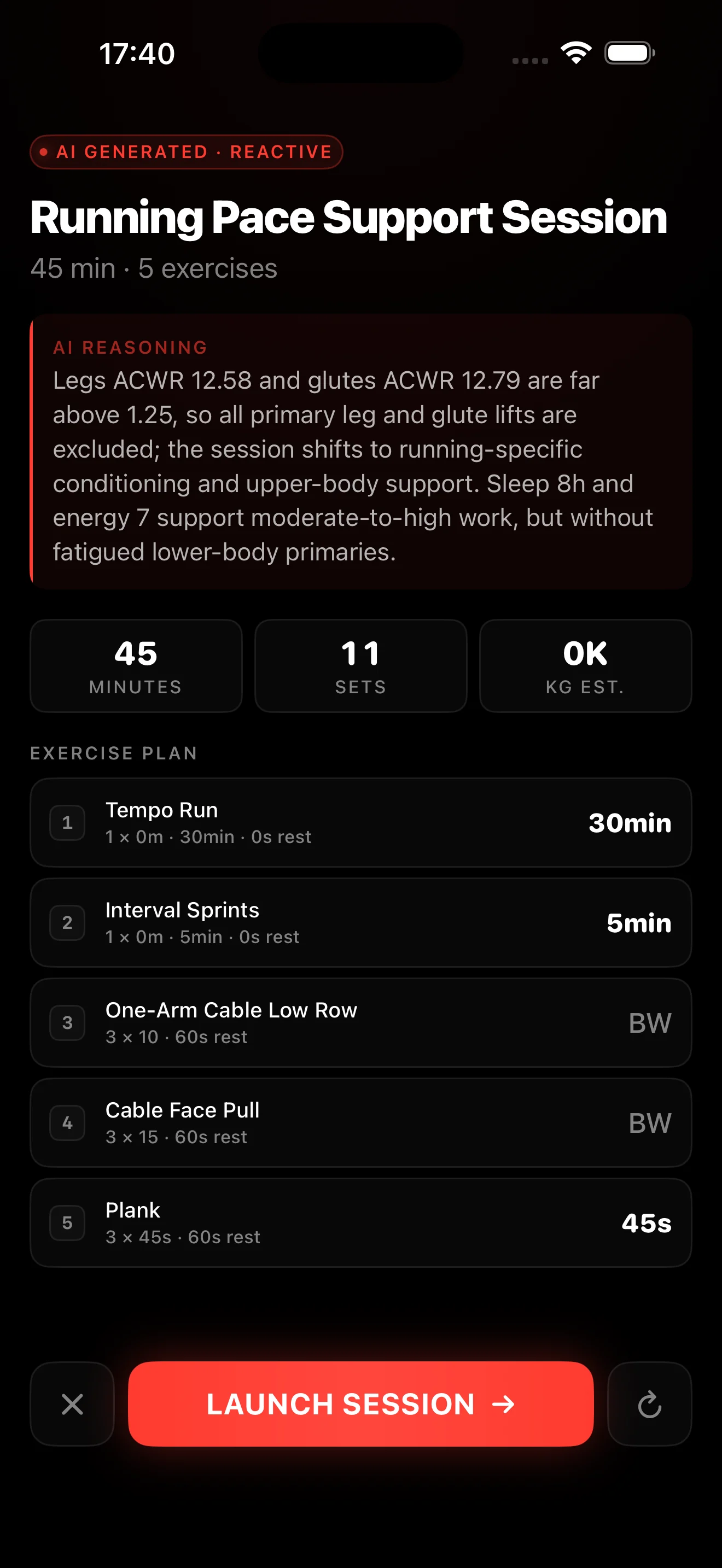
- ZON wins on hybrid and Hyrox continuity: one timeline across run + lift + stations, 8 native station templates with Open/Pro loads, transition timer, one-tap race-simulation mode.
- You can migrate: Hevy exports a CSV, ZON imports it on the strength side. Your lifting history follows; your runs and station metadata re-map once. One evening of setup, not a wall.
Why this comes down to 1-vs-1
Most Hyrox athletes aren't comparing ten apps. They're comparing the one they already use for lifting, usually Hevy, against the new hybrid app they keep hearing about, ZON. It's a migration decision, not a cold shopping trip. And a migration decision comes down to three concrete axes: what do I gain, what do I lose, and how much does it cost to move.
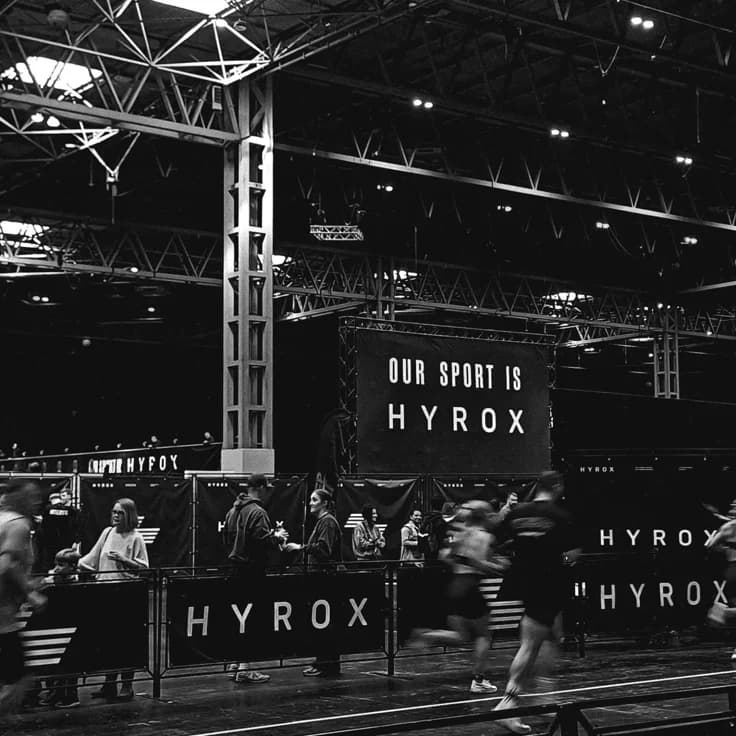
The race format frames everything. Hyrox is 8 segments of 1km running interlaced with 8 stations, all in one continuous session, with sub-30-second transitions between segments. An app built around pure lifting breaks at the segment boundary: you either stop the strength app to launch the run app then re-open the strength app at the next station, or you accept that your data lives in two places and reconcile it by hand. Reconciling by hand works for 2 weeks. By week 6, you stop. That behavioral failure mode, more than any single feature, is what separates ZON and Hevy for Hyrox.
So instead of scoring dozens of checkboxes, we look at the six things that actually decide a Hyrox build: run-plus-lift continuity, station templates, transition logging, race-simulation mode, data export/import, and price. For the wider backdrop, what a 12-week build looks like and what data matters week to week, the Hyrox training plan lays out the block structure.
ZON vs Hevy, feature by feature
1. Run + lift continuity
This is the tipping point. ZON records a continuous session that auto-segments by activity type: a 4-run / 4-station block logs as one entry, not eight. GPS running and lifting live in the same timeline, so you read pace per km, HR per segment, and station splits on a single chart. Hevy doesn't log runs natively: no GPS. You pause your session to launch Strava, or accept that your runs live elsewhere. On a build where half the work is running, that gap isn't a detail. ZON wins, clearly.
2. Station templates
ZON ships the 8 official Hyrox stations (ski erg, sled push, sled pull, burpee broad jump, row, farmer's carry, sandbag lunge, wall ball) as native templates, with official Open and Pro division loads pre-loaded. You tap the station, log, and the "Hyrox station" metadata is carried, so you can filter to "my sled push splits across all my race simulations." Hevy lets you log those stations as custom movements, but without Hyrox metadata: no pre-set Open/Pro loads, no per-station filtering without manual tagging. Hevy's library is larger (2000+ exercises vs ZON's ~600), but for Hyrox it's structure that matters, not raw count. ZON wins on the Hyrox side; Hevy wins on library breadth.
3. Transition logging
Transition drift is one of the largest race-day variables, and you can't train it if you don't see it. ZON has a transition timer that starts the moment you tap "end station," auto-stops when you hit "start run," and logs the gap separately from the segment times. You see exactly where the seconds go between movements. Hevy has no transition timer: the concept doesn't exist in a pure-lifting tracker. ZON wins, uncontested.
4. Race-simulation mode
On race week, you want a mode that auto-segments a 4 or 8 round simulation, with big buttons, offline support, and a transition timer. ZON has that mode one tap from the home screen; it works in airplane mode, which matters when the box where you simulate has no signal. Hevy has no race-simulation mode: you'd build a custom routine that approximates the rounds, without the transition timer or the auto-segmentation. ZON wins.
5. Data export / import
Here Hevy is strong, and it matters. Hevy has a reliable, proven CSV export of your full lift history: you can leave at any time, which is exactly what you want from a tool. ZON exports via CSV and Apple Health sync, with Strava-native segment export planned for late 2026; today the Strava push goes through HealthKit one-way. On raw export reliability, Hevy is ahead. The key point for a Hyrox athlete: the import runs the right way. ZON accepts the Hevy CSV on the strength side, so migrating doesn't lock you in.
6. Price
Hevy has a generous free tier (4 routines, full tracking) and Hevy Pro at $4.99/month or $39.99/year. ZON is free to download; ZON Pro, the App Store subscription, unlocks AI programs, predictive analytics, AI form analysis and your full history. At the entry point, Hevy is cheaper, and for pure strength logging it's the best value. ZON Pro's price reflects what it does more of: native GPS running, station templates, race-simulation mode, one timeline. Hevy wins on raw price; you decide whether the continuity is worth the gap for your goal.
Two notes on watch integrations, because they come up a lot. Both apps cover Apple Watch; ZON adds Garmin via HealthKit. The HR data flow feeds the timeline in both cases, but only ZON pins it to the same session as your lift and stations. It's the same thesis again: continuity, not checkbox count.
ZON vs Hevy scorecard
We score each app from 0 to 5 on the six criteria that decide a Hyrox build. The scores reflect what shipped as of July 2026, not roadmap promises. A reminder: a low Hevy score on a Hyrox criterion doesn't mean bad app, it means wrong tool for that specific job.
| Criterion | ZON | Hevy |
|---|---|---|
| Run + lift continuity | 5 | 1 |
| Station templates (8 official) | 5 | 2 |
| Transition logging | 5 | 0 |
| Race-simulation mode | 5 | 0 |
| Data export / import | 4 | 5 |
| Price (free + value) | 3 | 5 |
| Total / 30 | 27 | 13 |
The scorecard isn't the full verdict. Hevy at 13/30 is an excellent lifting tracker scored on Hyrox criteria it never claimed to play in: it wins export and price, the two criteria that don't depend on hybrid. ZON's 27 reflects an app built for exactly this task. Strip off the Hyrox lens and score pure lifting, and Hevy would climb hard while ZON slipped a little. The scorecard measures Hyrox fit, not absolute quality.
Pricing compared, plainly
The "zon vs hevy, which is cheaper" question has a clean answer and a nuance. The clean answer: Hevy is cheaper. Hevy Pro is $4.99/month or $39.99/year, with a free tier that suffices for many lifters (4 routines, full tracking). ZON is free to download, and its ZON Pro subscription costs more than Hevy Pro. The free download lets you run a full race-simulation week, which is the real way to test a Hyrox app.
The nuance: the lowest price isn't the lowest cost if the cheaper tool forces you to add a second one. With Hevy for lifting, you need Strava or your watch's run mode for running, plus a notebook or note for station splits and transitions. The real cost includes that reconciliation time and the signal you lose when you stop doing it by week 6. ZON puts everything in one timeline for a higher monthly price. Depending on whether Hyrox is your main or side goal, the equation tips differently, which is exactly what the verdict below is about.
Migrating Hevy to ZON: what carries over
Good news: you're not stuck on Hevy if you want to try ZON. The migration path is concrete. Hevy exports a full CSV of your lift history from the account settings. ZON accepts that Hevy CSV import on the strength side, which means your bench, squat, deadlift, and accessory PR history shows up in the ZON timeline from day 1. You don't start over.
What doesn't carry automatically, and what to expect. One: run data isn't in the Hevy CSV, because Hevy doesn't log runs. It has to come separately via your Apple Health or Garmin export, which ZON reads. Two: stations you had logged as custom movements in Hevy arrive without Hyrox metadata. You re-map them once onto ZON's 8 native templates, and from then on they carry Open/Pro loads and per-station filtering. Three: Hevy routines as program structures don't import through the CSV; you rebuild them, which is fast since ZON pre-loads the stations.
Budget one evening of setup if you migrate with 12+ months of history. Once done, you're on one timeline for the rest of your build. Many athletes keep Hevy read-only for a few weeks to confirm nothing is missing, which is a reasonable, no-cost precaution.
Try ZON on your next race simulation
One continuous session across run + station + lift. Transition timer + auto-segmentation + post-session readout in one chart. Free to download.
So, ZON or Hevy? The verdict by profile
Three profiles. Most athletes fit cleanly into one.
The lifter trying Hyrox once
Stay on Hevy. If your athlete identity is "someone who lifts" and Hyrox is a one-event curiosity, keep your best lifting tracker and add a run tracker alongside. Accept that your race-simulation analysis will be coarser and log station times by hand in a note. Across a single event, the cost of fragmentation stays low and you don't break a workflow that works for your lifting.
The Hyrox beginner with no app loyalty
Pick ZON. This is where the continuity pays off most. In week 1 you're still building the logging habit, and the single timeline removes the app-swap friction that would make you drop off. Download it free and run a full race-simulation week to see the transition timer and auto-segmentation in real conditions. If you never had a lifting app, you have no migration cost: you start in the right place directly.
The experienced lifter chasing a real Hyrox time
Migrate to ZON, but do it cleanly. You have lifting history that's worth gold, so export your Hevy CSV and import it into ZON to keep your progression curves. From there you gain exactly what you were missing: station splits comparable over time, transition drift made visible, and race-simulation mode to steer your Specific block. Keep Hevy read-only for a few weeks if it reassures you. Once the migration is done, all your race-day signal lives in one place, which is precisely what makes a PR predictable.
What Hevy genuinely does better
To stay fair, it needs saying plainly: on its own turf, Hevy beats ZON. Hevy's set-by-set rep and weight tracking is the gold standard, fast and frictionless mid-session. Its 2000+ exercise library dwarfs ZON's ~600 movements in raw count, which matters if you also powerlift and want twelve bench-press variations. Its free tier is more generous, its Pro cheaper, and its CSV export more proven. If Hyrox weren't in the equation, Hevy would be an obvious default.
The point this guide argues isn't "ZON is better than Hevy" in the abstract. It's "for an athlete whose goal is Hyrox, run-plus-lift-plus-station continuity in one timeline changes more than any library or price advantage." The right tool depends on your question, not on a universal ranking.
How to test both in one week
Don't choose on screenshots. Install both and run the same protocol across one week, it settles the question fast.
- Log a 3-station mini-simulation: 3 × (1km run + 1 station). Time it end-to-end on each app and see which one captures the transition gaps and reads the session as one timeline.
- Log a pure strength day: upper body, 4-5 lifts, RPE per set. Hevy should shine here; check whether ZON keeps pace enough for you.
- Log an easy Z2 run: 30-40 min outdoors. Watch how the run shows up, or doesn't, next to yesterday's strength session.
- Export from Hevy and import into ZON: this is the real migration test. Check what carries over and what's missing before you commit.
Closing
ZON vs Hevy for Hyrox comes down to one question: does your training fit in a single discipline? If you only lift, Hevy is the better tool, cheaper and more proven on its home turf. The moment running, stations, and transitions enter the picture, ZON's single-timeline continuity makes the difference across a twelve-week build. The good news is you can test both and migrate without pain. Map your profile, run the one-week protocol, and let your race-day data decide.
- Full ZON Hyrox app roundup, best Hyrox workout app 2026.
- 12-week build structure, Hyrox training plan.
- Hybrid training app buyer's guide, best hybrid training app 2026.
- Hevy product and features page, hevyapp.com (verified July 2026).
- Hyrox official site, division weights and station specifications, hyrox.com.
- Internal ZON usability study, 31 athletes across one 12-week build, 2024-2026.